
These are steps followed (https://softwarekeep.com/help-center/how-to-fix-the-failed-to-enumerate-objects-in-the-container-error-on-windows-10):
- Press the Windows + R keys on your keyboard to launch the Run utility. Type in “cmd” and press Ctrl + Shift + Enter. This is going to open the Command Prompt with administrative permissions.
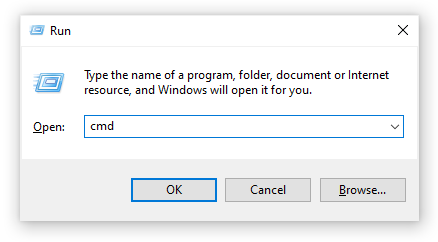
- If prompted, make sure to allow the Command Prompt to make changes on your device. This means that you might need an administrator account.
- Execute the following commands, pressing the Enter key in-between each command. Make sure to replace “FULL_PATH_HERE” with the path to your affected file or folder.
- takeown /F X:\FULL_PATH_HERE
- takeown /F X:\FULL_PATH_HERE /r /d y
- icacls X:\FULL_PATH_HERE /grant Administrators:F
- icacls X:\FULL_PATH_HERE /grant Administrators:F /t
- Close the Command Prompt and try changing the permissions for the file or folder affected.
 j5423
j5423 